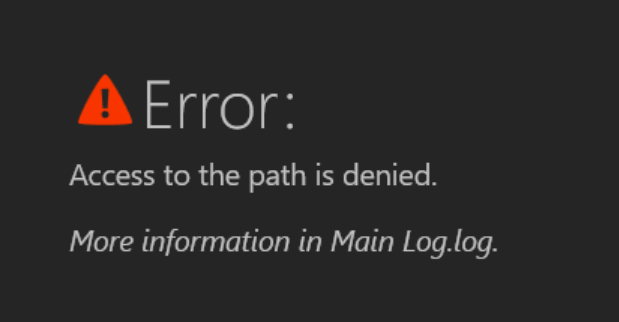
Here is how to fix the “Access to the path is denied” error
Method 1
You will need to reinstall Assetto Corsa on the same drive where Content Manager is installed.
For most cases this will be on your C: Drive
Method 2
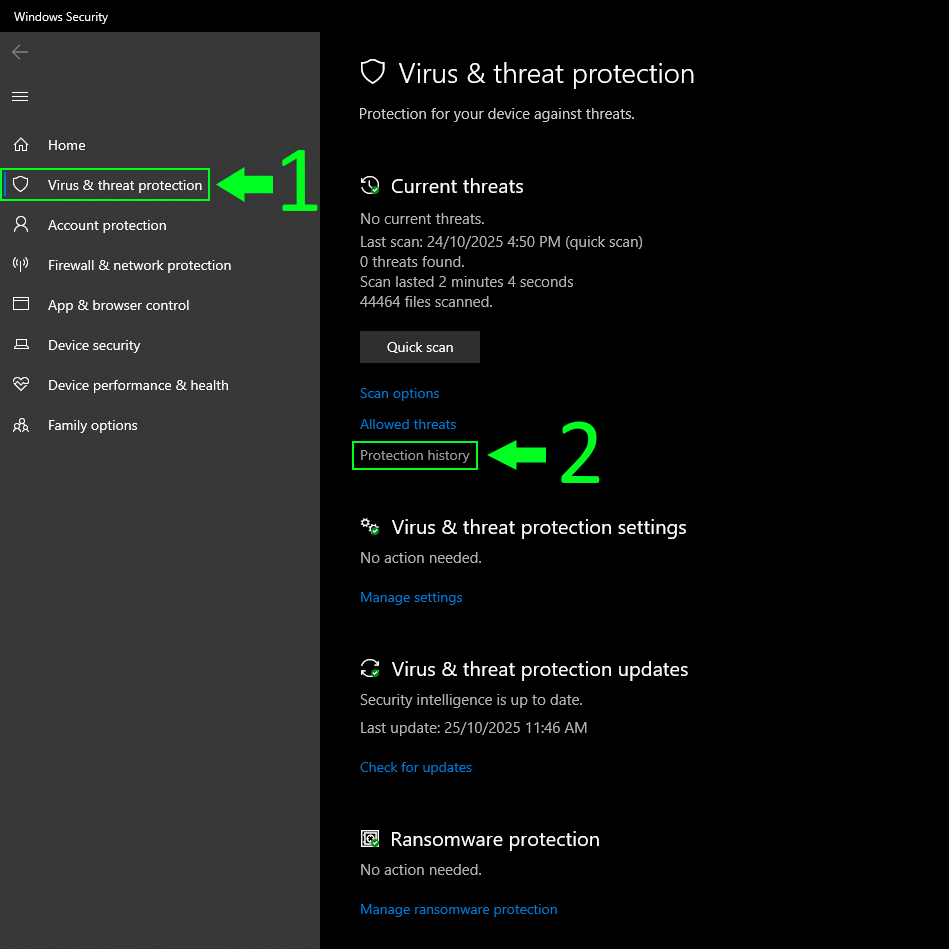
Step 1
Open the Virus & Threat Protection and click protection history
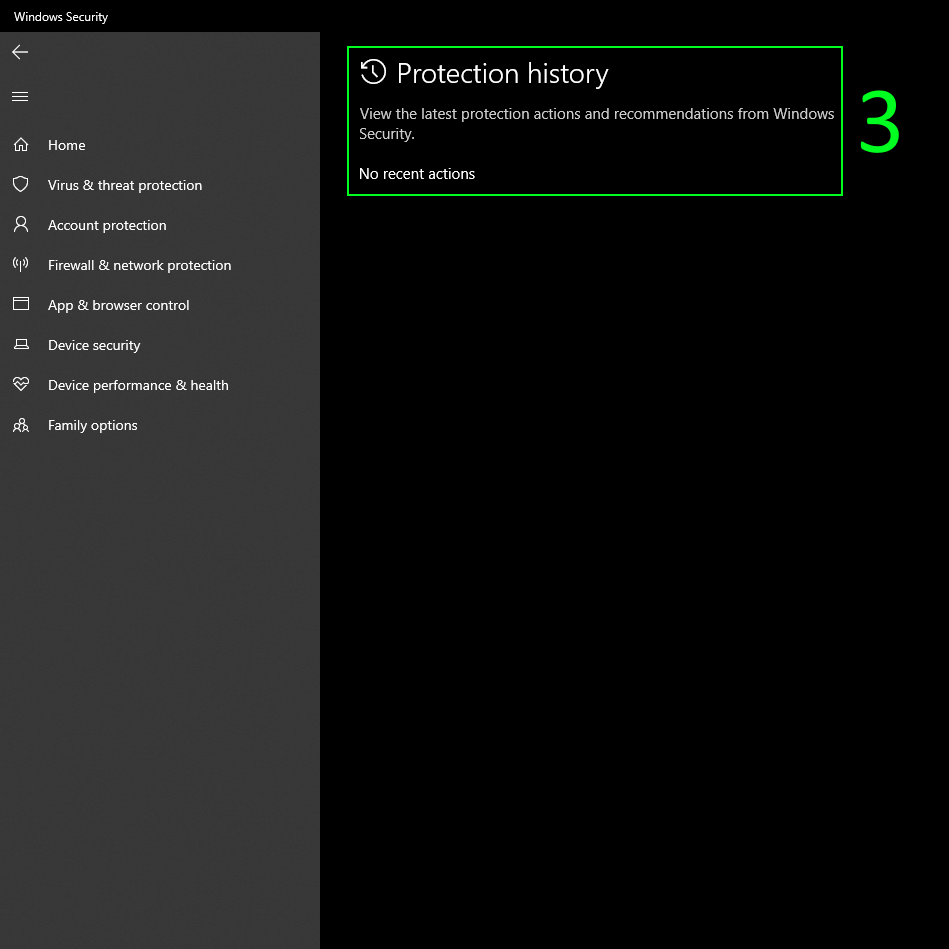
Step 2
If it says No Recent Actions then your game will likely be fixed by doing Method 1
If it shows recent actions in the assettocorsa folder then follow the rest of it.
if there is anything else here then you likely have a virus and should notify staff.
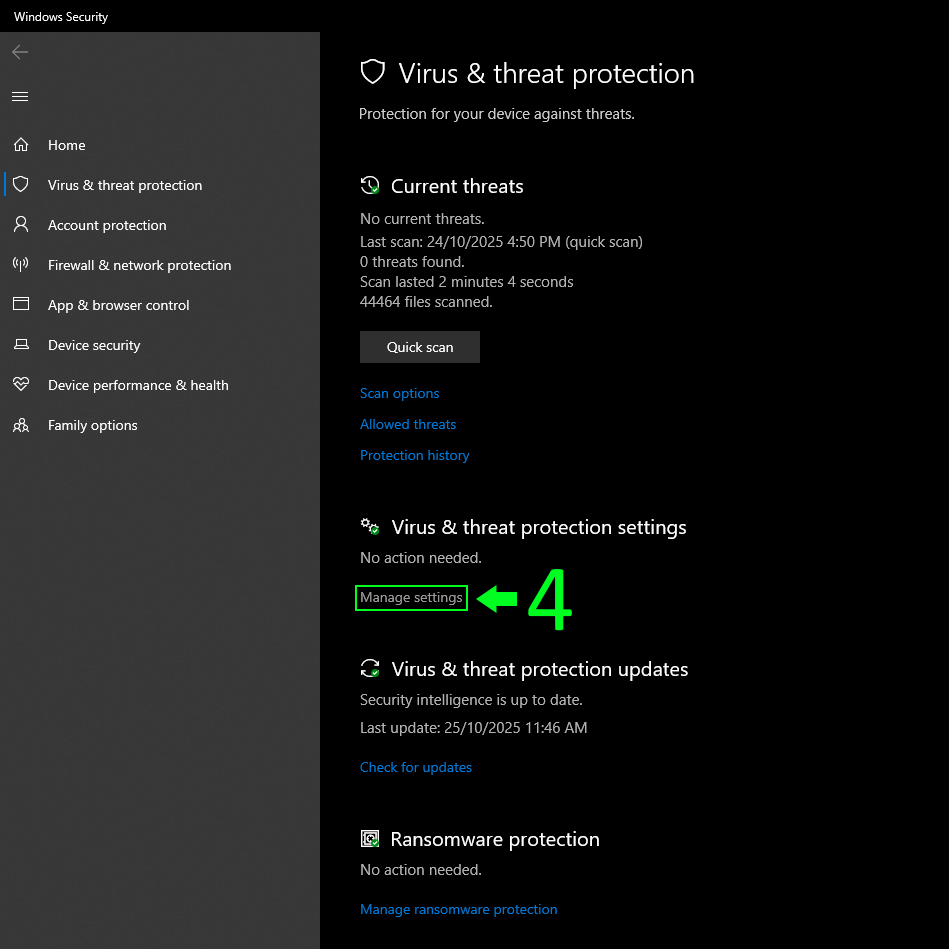
Step 3
Go back to the main page and click Manage Settings under the Virus & Threat Protection Settings section.
Step 4
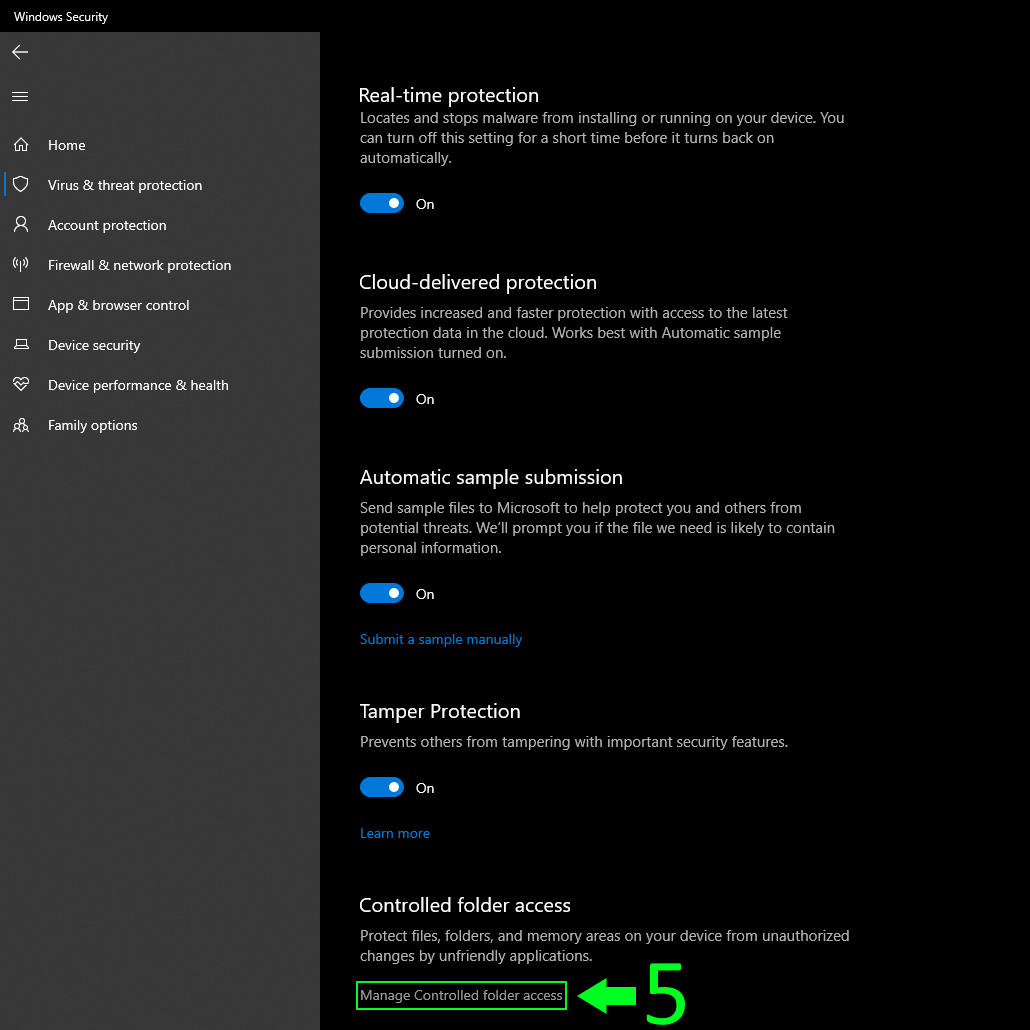
Click on Manage Controlled Folder Access which is under the Controlled Folder Access section.
Step 5
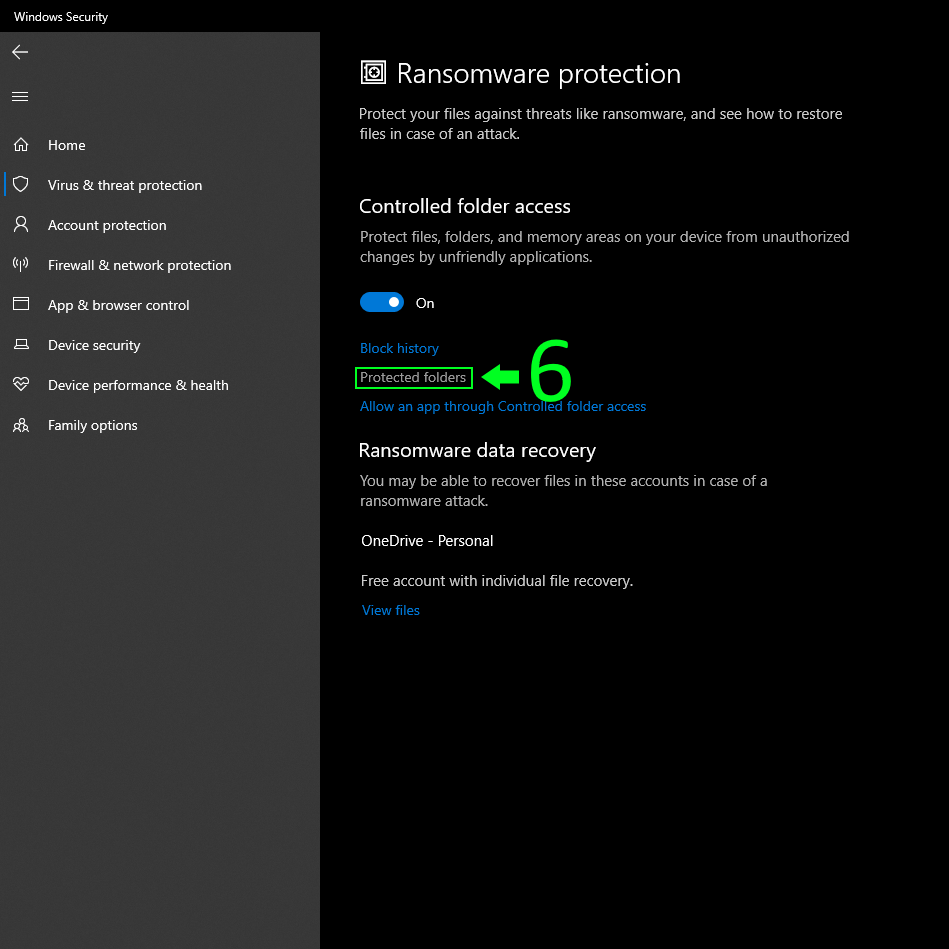
Click on Protected Folders
Step 6
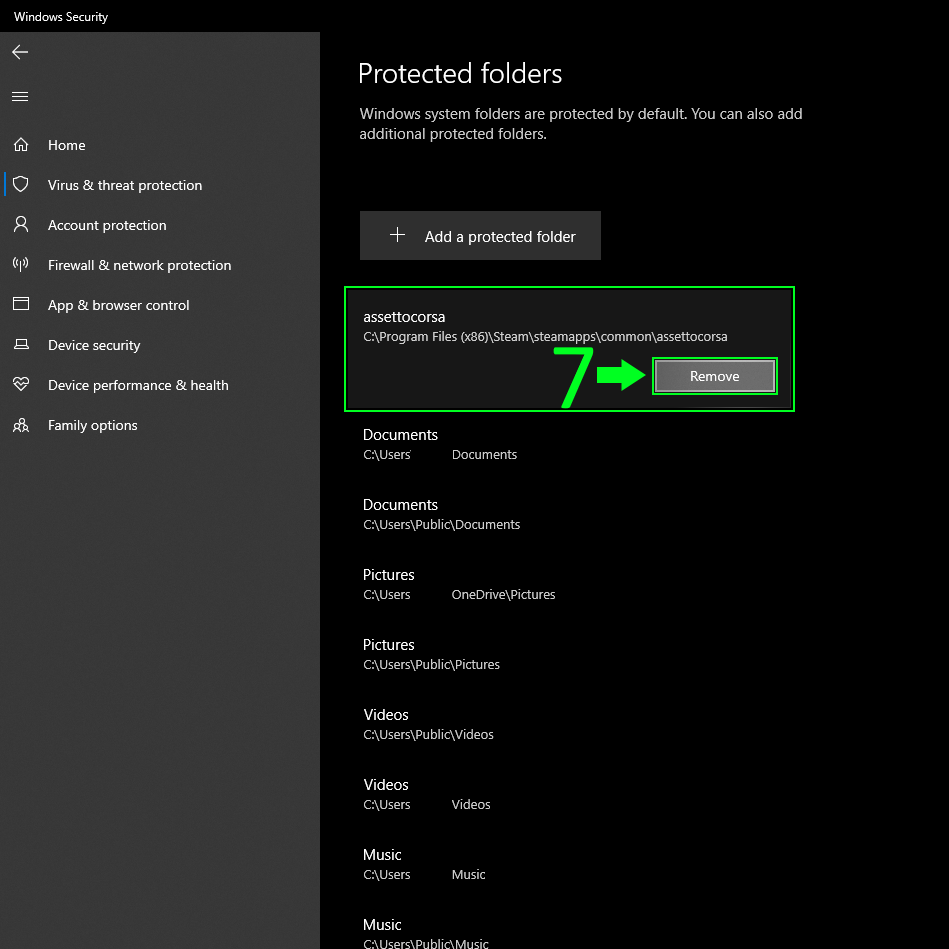
Click on assettocorsa and click remove
 Back to FAQs