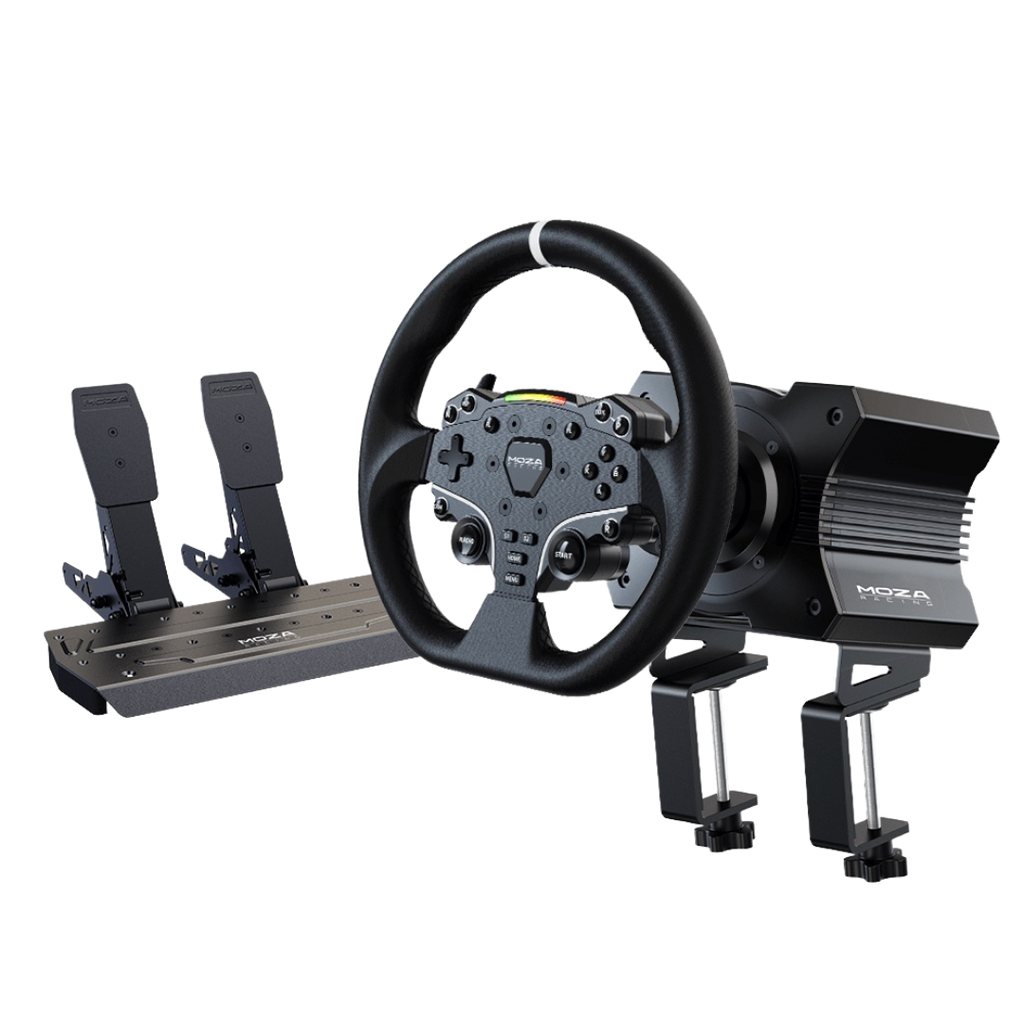
Recently bought Assetto Corsa or recently got a new wheel? Follow this guide!
Step 1:
### Download your wheel's firmware/ drivers:
Search: (company) (wheel name) wheel firmware
Example: "Moza R12 wheel firmware"
-# (If you have a Logitech, GHub must stay open at all times during use
Step 2:
### Calibrate and setup your wheel in that firmware
Disclaimer: Every wheel's software is different. If needed, reach out to the company's support page to receive help with this step.
We don't offer Support for
Step 3:
### Setup axis's in Content Manager
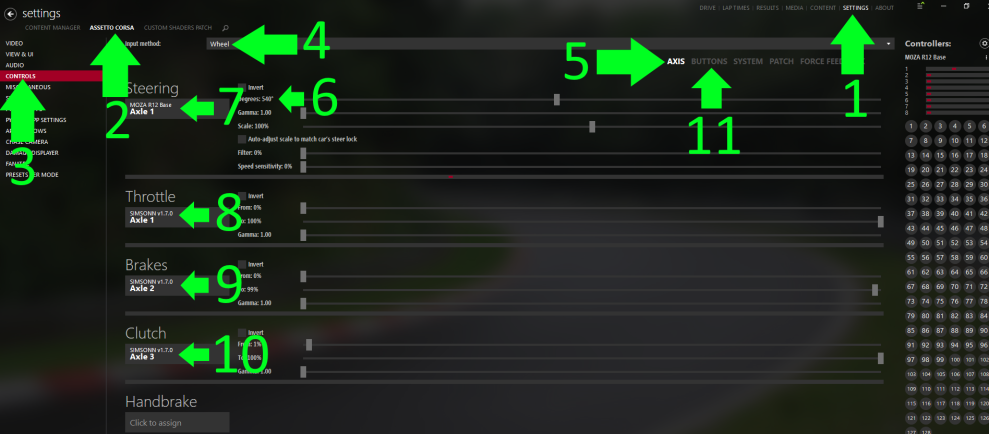
1. Open Content Manager and go to Settings > Assetto Corsa > Controls > Input Method: Wheel > Axis
2. Bind the axis's -> Throttle/ Brake/ Clutch/ Handbrake
3. Set your Steering Degrees to match your Steering Wheel’s
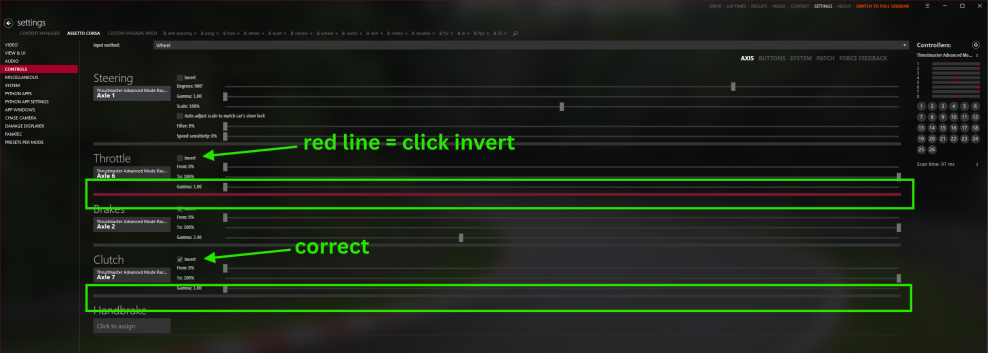
🚨 Warning: If you have a bright red line under the axis, you will need to invert your axis. 🚨
Step 4
### Bind your shifters
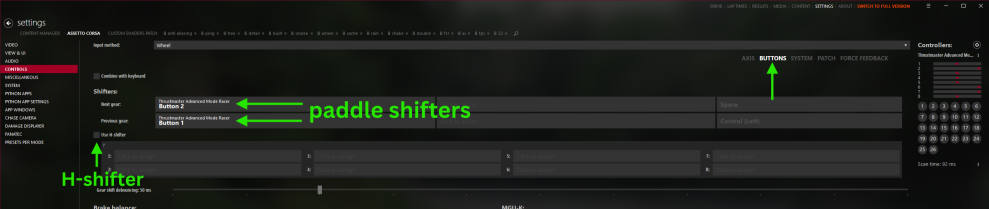
Content Manager -> Settings -> Assetto Corsa -> Controls -> Buttons
Paddle Shifters:
Click on buttons and bind “Next Gear” and “Previous Gear” to your paddle shifters
H-Shifter:
Check “Use H-Shifter” and bind the buttons.
-# Not all cars are H shifter compatible. Join a server and hover over the car, if it shows the manual tag, then you can use your H shifter.
 Back to FAQs